Running SWAT+
You can run the model from the Run Model section or from the Manual tab of the Calibration section. Both run the active scenario with the SWAT+ revision selected in the Run Model section.
Run Model section
- Go to the Run Model section and check the settings (see Run Settings).
- Check that SWAT+ Revision, at the bottom right, shows the revision you want.
- Click the round Play button ("Run SWAT+ with current settings").
Before the run starts, the toolbox writes the scenario's run settings, print settings and parameter values to the scenario's TxtInOut folder. A parameter changes the model only once it has a value, for example from a manual calibration run or a loaded parameter set. Parameters without a value are left out.
While the model runs:
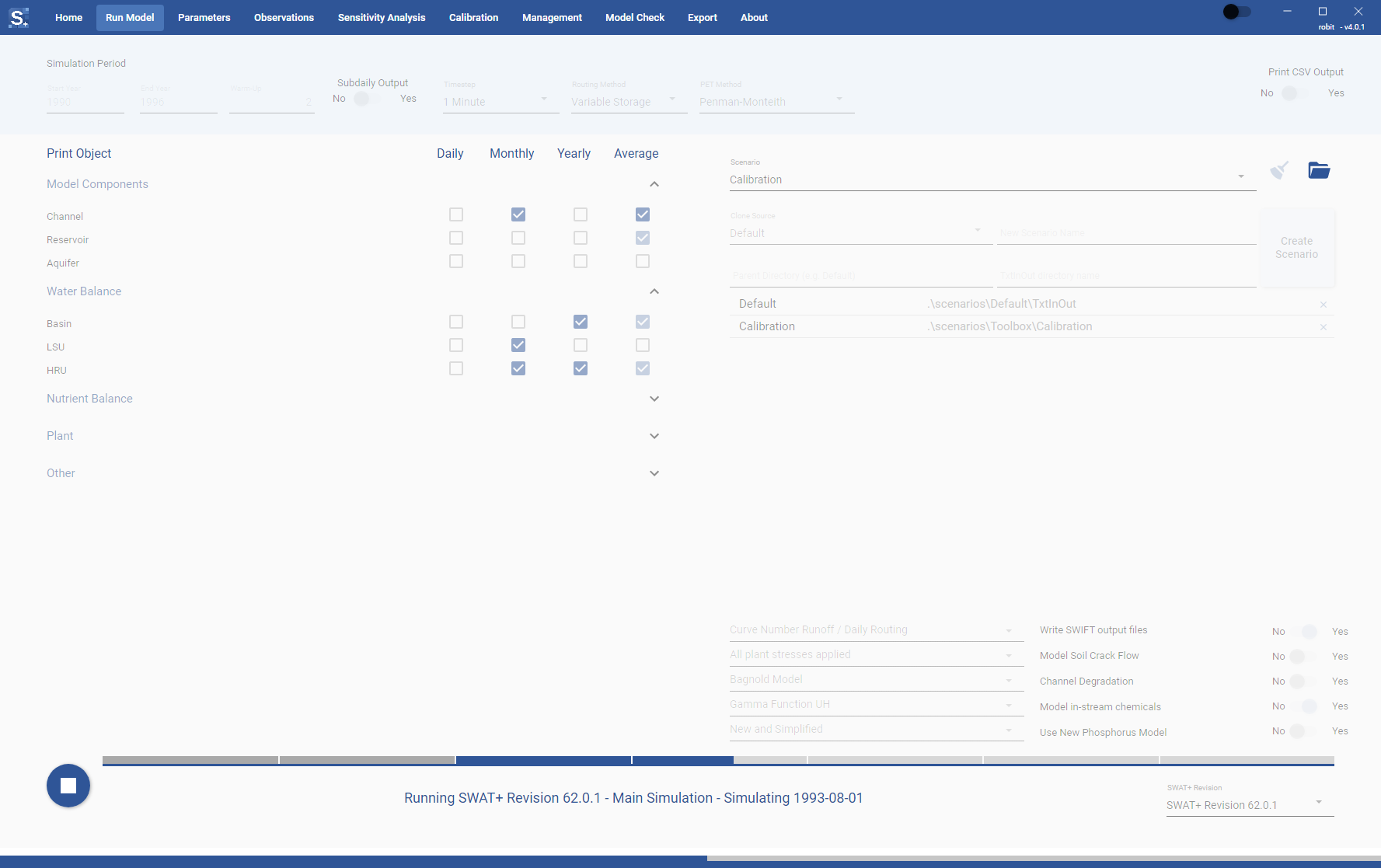
- The progress bar next to the button fills as the simulation moves through the years. It has one segment per year, and the warm-up years fill in grey.
- The text under the progress bar shows the revision, whether the model is warming up or in the main simulation, and the progress message from SWAT+.
- The thin progress bar along the bottom of the window shows the same progress on every page.
- The settings in the section are greyed out until the run finishes.
When the run ends, the text reads "SWAT+ run completed successfully", or shows the error if the run failed.
To stop a run, click the button again: while the model runs, it shows a Stop icon ("Stop the running SWAT+ simulation").
You can start a model run while sensitivity analysis is running, since they work in separate folders. The button is greyed out while automatic calibration is running.
macOS
On macOS you can also use the Run menu in the menu bar: Run SWAT+ (Cmd+R) and Stop SWAT+ (Cmd+.).
If you close the toolbox while a run is in progress, it asks whether to quit. Quitting stops the run.
If the selected revision has no executable for your computer, or the executable file is missing from the installation, the run does not start and the text under the progress bar says which file is missing.
Calibration, Manual tab
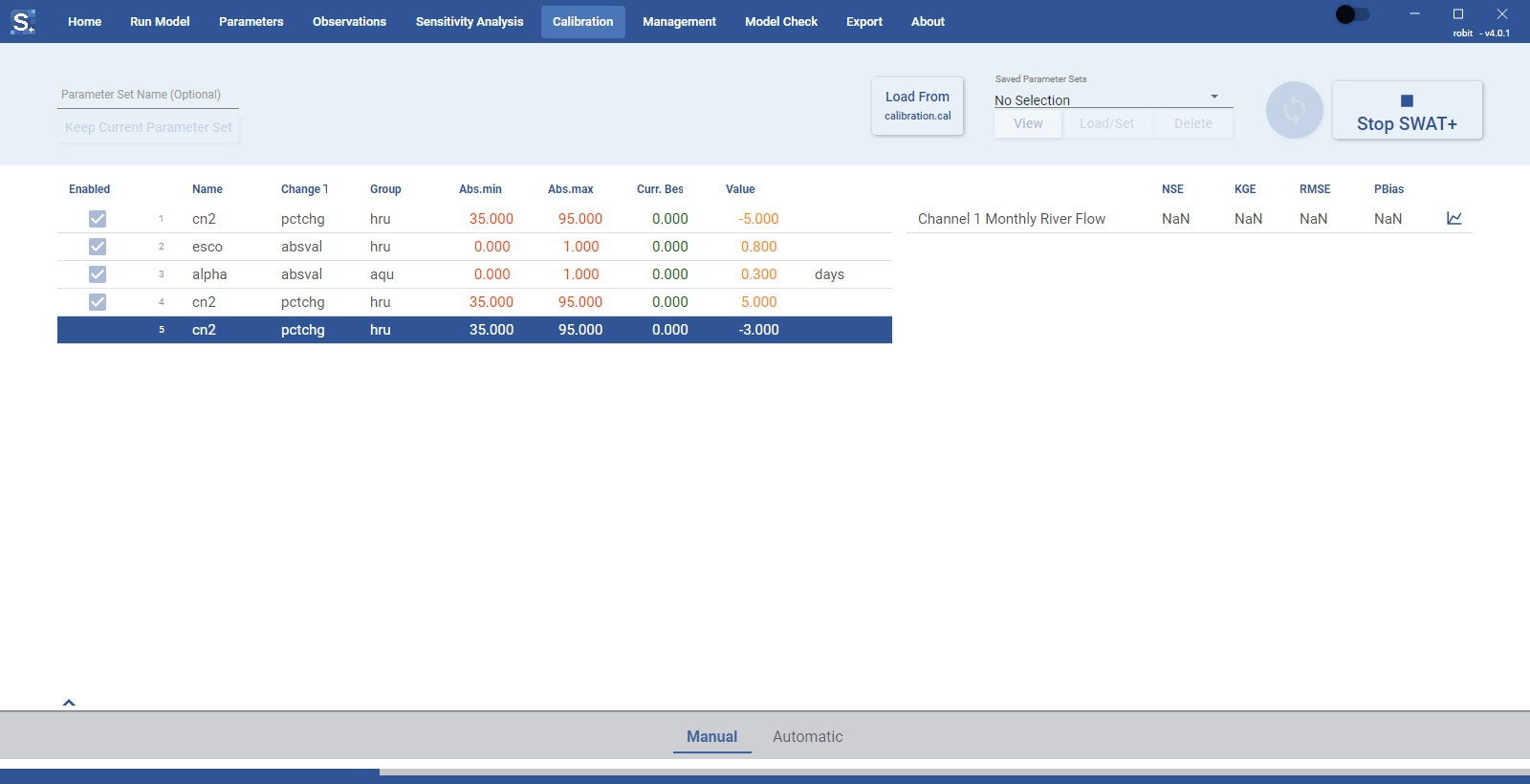
You can also run the model from the Manual tab of the Calibration section, with its Run SWAT+ button ("Run SWAT+ with current parameters"). This run first saves the parameter values shown on the Manual tab to the scenario and then runs the model with them and the run settings. A run from the Run Model section uses the parameter values already stored in the scenario.
When a manual calibration run finishes, the toolbox refreshes the model performance on that tab. The progress also shows in the Run Model section. See Manual Calibration.